Install and connect the phone
Move StupidMirror to Applications and open it. Connect and unlock the phone. USB video needs trust and Camera permission; Android needs authorized ADB.
CODEX PLUGIN
StupidMirror bundles a Codex plugin. Your agent sees the live screen of a real iPhone or Android device, operates it through MCP, and you point at exactly what you mean with annotations.
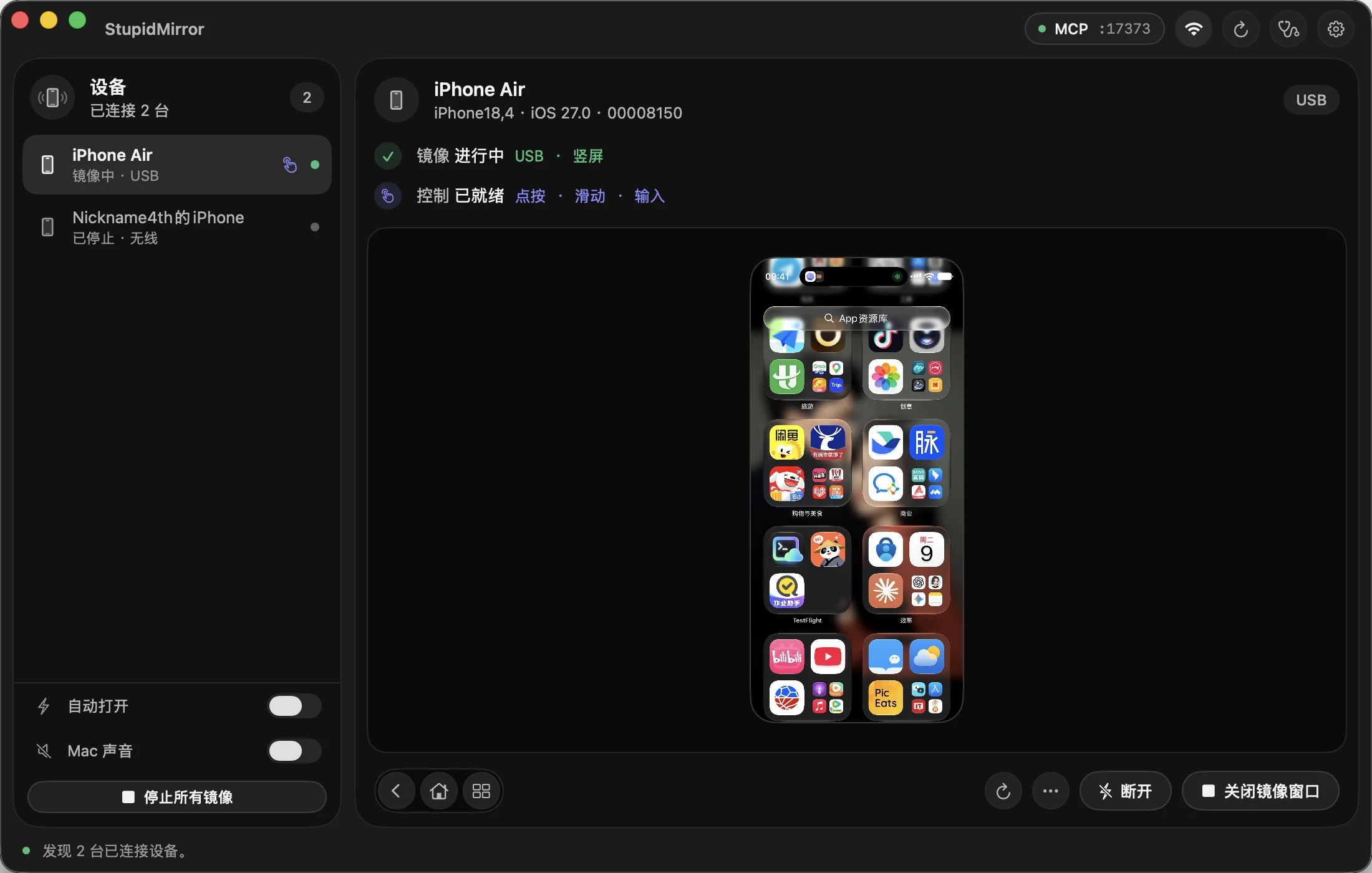
No repository clone, Python or Node.js install, or token copying is needed for the installed app.
Move StupidMirror to Applications and open it. Connect and unlock the phone. USB video needs trust and Camera permission; Android needs authorized ADB.
For iPhone control or wireless video, complete Set Up This iPhone over USB.
In Settings → MCP Automation, click Connect Codex. The app enables local MCP and installs its bundled plugin through the Codex desktop app's CLI.
Open a new Codex chat, select StupidMirror and ask: “Show my phone inside Codex without tapping anything.” The panel opens through show_screen.
Choose a device; pause and resume, refresh, return Home or copy a screenshot. Video plays in the chat without a separate mirror window.
Explicitly enable control, then click to tap or drag to swipe. Nothing is sent to the phone until you turn it on.
Freeze the frame and draw up to eight numbered boxes, then send the marked image and your note with Command-Enter. Drawing never taps the phone.
The agent works in an observe → act → observe loop with local OCR, element IDs and targeted taps, and checks the result on the device.
Hardware H.264 travels over encrypted local WebRTC, with no cloud relay or STUN/TURN service. Screenshots your agent requests and annotations you send go to your AI client and follow its data settings. Never paste the MCP connection file into a chat.
Reconnect the plugin and select it in a new Codex chat. After updating the app, click Connect Codex (Update or reinstall plugin) again.
Older builds reject experimental client capabilities. Update to StupidMirror 0.3.1 or later and reconnect the plugin; restarting Codex does not fix it.
Unlock the phone, check the cable and trust prompt or ADB authorization, and refresh. USB iPhone video needs Camera permission; wireless video needs the iPhone setup guide.
Wait for control setup, check Developer Mode and the signed runner on the iPhone, then enable Operate again. Viewing and control are ready independently.
The host has to support image messages. If the panel reports an unavailable composer, open the chat, ask Codex to call show_screen again and continue in the new panel. Your draft is kept.