One-click Claude Code bridge
Registers StupidMirrorMCPBridge over stdio so bearer tokens never sit in plaintext config files. Claude calls list_devices, observe_screen, tap_text, and assert_screen identically across iOS and Android.
scrcpy only speaks Android. Apple’s built-in iPhone Mirroring refuses test Apple IDs, blocks EU Macs, and offers zero automation hooks. Appium Inspector takes twenty minutes of port plumbing before your first tap. StupidMirror puts physical iPhones (USB or Wi-Fi), Android phones, iOS Simulators, and Android Emulators on one native macOS 15+ canvas — backed by a local ~43-tool MCP server for Claude Code and Codex.
macOS 15+ · Free for 1 active device with no sign-in · Yearly membership unlocks simultaneous multi-device + StupidMirror paid features
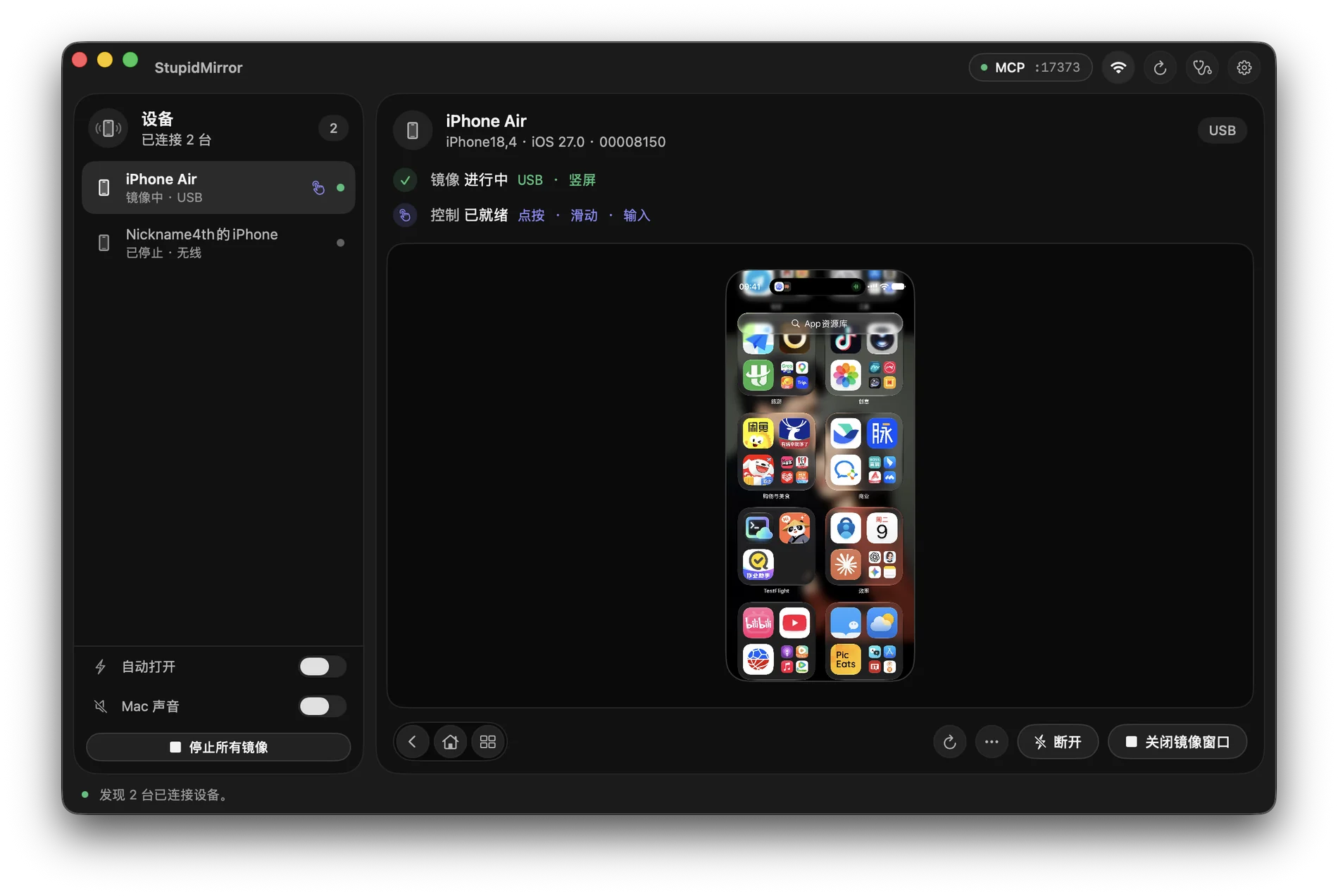
scrcpy vs macOS iPhone Mirroring vs Appium InspectorBuilt for mobile engineers, QA workflows, and AI coding agents that need to verify real UI behavior across both iOS and Android.
| Capability | StupidMirror | scrcpy | macOS iPhone Mirroring | Appium Inspector |
|---|---|---|---|---|
| Physical iPhone mirroring & touch | USB & CoreDevice Wi-Fi (H.264/SRT; live HID on iOS 27+ or WDA) | Not supported (Android only) | Wireless only; locks physical iPhone screen | Slow screenshot polling (~1–2 fps); not a live mirror |
| Works with QA / secondary Apple IDs & EU Macs | Yes — any Apple ID & any region (uses standard Xcode Developer Mode pairing) | N/A | No — requires identical personal iCloud & supported region | Yes (manual WDA Xcode signing required) |
| Android 11+ & Emulators + iOS Simulators | All four in one dashboard (real iPhone, real Android, iOS Sim, Android Emulator) | Android physical & emulator only | Single personal iPhone only | Requires separate driver configs per target |
| Built-in MCP server for Claude Code & Codex | ~43 local MCP tools on 127.0.0.1:17373 + 1-click Codex live WebRTC viewport & Claude stdio bridge |
None | None | None natively (requires third-party wrapper scripts) |
| Screen reading & element targeting | On-device Apple Vision OCR (observe_screen, tap_text) + native UI hierarchy |
Visual pixels only | Visual pixels only | XML accessibility tree only (struggles with custom canvases/games) |
| Side-by-side multi-device parity checks | Mirror iOS + Android side by side (unlocked with StupidMirror Annual) | Multiple CLI windows for Android only | 1 iPhone maximum | Separate sessions |
| Pricing | $0 for 1 device (no login); $13.49/yr (¥49/yr) for multi-device + StupidMirror paid features | Free (Apache-2.0) | Bundled with macOS | Free (open source; manual infra setup) |
Your coding agent writes Swift, Kotlin, Flutter, or React Native — then installs the build, taps through onboarding, reads error banners via local Apple Vision OCR, and records an MP4 proof clip without leaving your Mac.
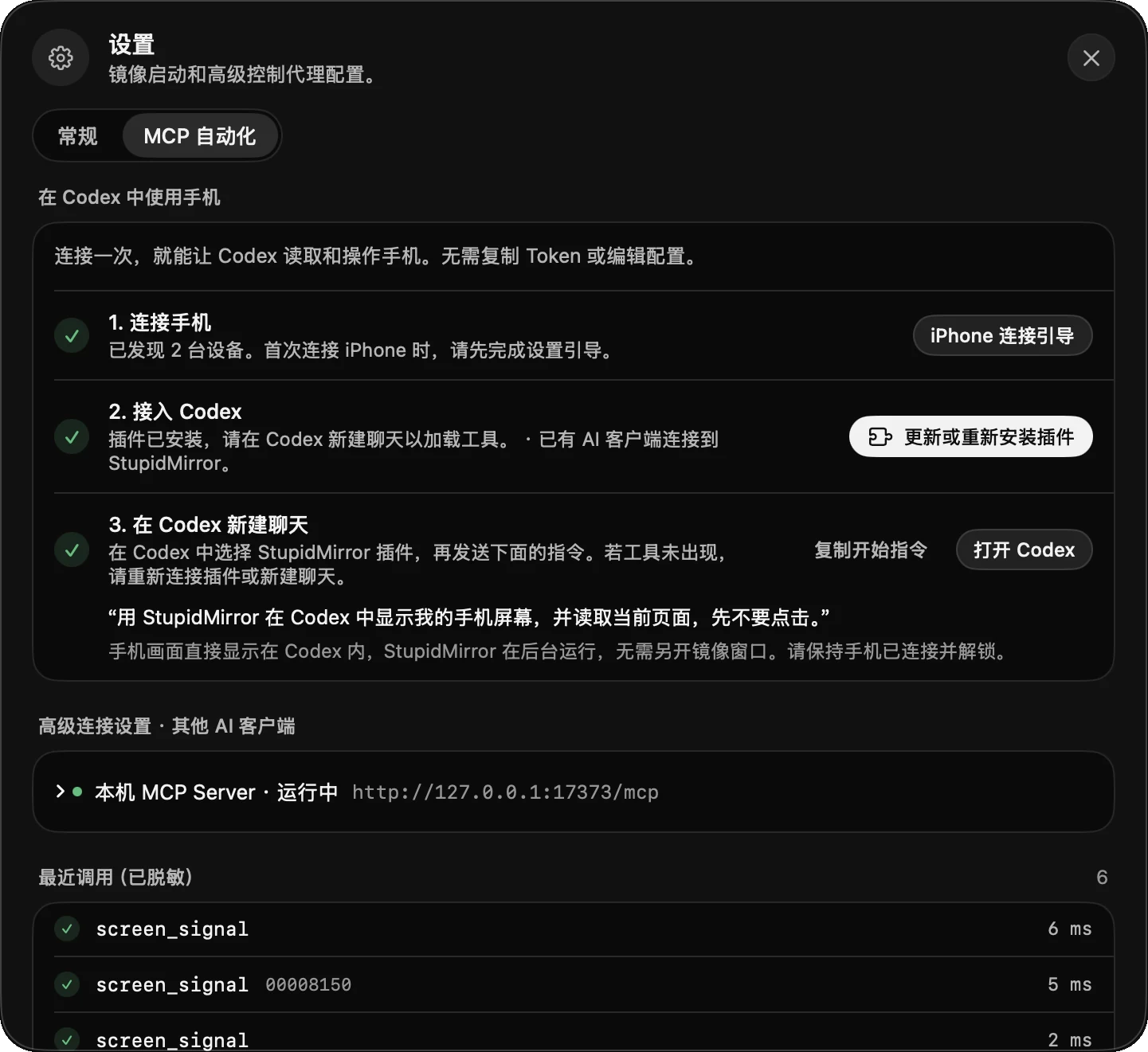
Registers StupidMirrorMCPBridge over stdio so bearer tokens never sit in plaintext config files. Claude calls list_devices, observe_screen, tap_text, and assert_screen identically across iOS and Android.
Click Connect on the Codex card to install the local plugin: watch a low-latency WebRTC mirror of your iPhone or Pixel directly inside the Codex conversation while the agent works.
Plug your iPhone in over USB once, enable Developer Mode, and click Set Up This iPhone. StupidMirror signs the companion screen agent with your Mac’s Apple Development identity and enables wireless CoreDevice sessions.
The MCP server listens strictly on 127.0.0.1:17373. Video decoding and Vision OCR stay on your Mac; screenshots only enter your AI client when a tool call explicitly asks for one.
No account required for single-device mirroring and MCP automation. Upgrade to StupidMirror Annual ($13.49/yr · ¥49/yr) when you need simultaneous iOS + Android multi-device sessions. Or choose monthly access at $3.19 (¥9.9) or the all-products annual bundle at $26.49 (¥99), tax included.
Apple's macOS iPhone Mirroring requires both devices to share the exact same personal iCloud account, locks the iPhone screen while mirroring, is unavailable in regions like the EU, and exposes zero automation APIs. StupidMirror works over USB or CoreDevice Wi-Fi with any Apple ID (including dedicated QA test phones), keeps the physical screen usable, mirrors Android phones and simulators alongside it, and exposes ~43 local MCP tools to Claude Code and Codex.
scrcpy is an excellent command-line mirror for Android only — it cannot connect to iPhones or iOS Simulators, and it has no built-in OCR, UI-tree inspection, or MCP server for coding agents. StupidMirror embeds scrcpy-grade H.264/audio streaming for Android 11+ alongside native iPhone USB/Wi-Fi mirroring and unifies both behind one macOS window and one MCP toolset.
For interactive verification and agentic workflows, yes. Instead of manually configuring separate WebDriverAgent, UiAutomator2, and Appium server ports per platform, StupidMirror automates device setup and exposes a single localhost MCP endpoint (127.0.0.1:17373) plus a one-click stdio bridge for Claude Code and a live WebRTC viewport plugin for Codex.
Yes — mirroring, touch/keyboard control, local Apple Vision OCR, and all ~43 MCP tools are free for one active device at a time without signing in (for noncommercial use under PolyForm Noncommercial). Running multiple devices simultaneously (for example, comparing an iPhone and an Android phone side by side) requires StupidMirror membership ($13.49/year by card or ¥49/year via Alipay), with monthly access at $3.19 (¥9.9) or the all-products annual bundle at $26.49 (¥99). Tax included.
Never through StupidMirror. Capture, video decoding, and Apple Vision OCR run locally on your Mac, and the MCP server binds strictly to 127.0.0.1. Only screenshots requested by your connected AI client (Claude Code, Codex, Cursor) are passed to that client under its own privacy settings.